Building block · local_lernhive_audience
Who sees what — rule-based, automatic.
Dynamic audiences via roles, profile fields and activity. The clean alternative to manually maintained lists.
Overview
Audiences instead of lists.
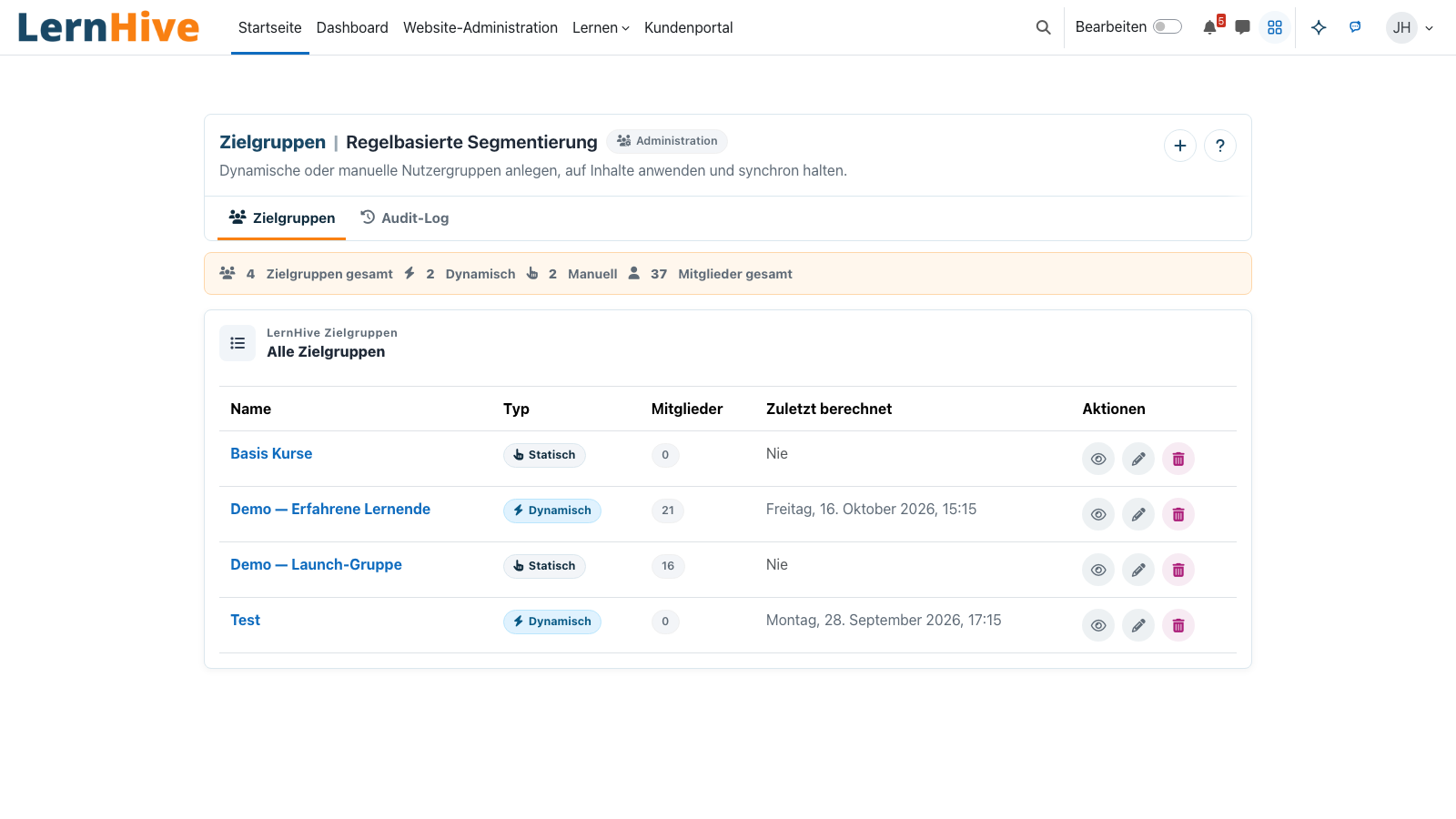
An audience expresses a dynamic learner group: 'All members of department X with a completed onboarding course'. The rule builds on groups, cohorts, profile fields and activity data. The result is recalculated regularly and made available as a cohort — visibility, enrolment and reports use it like any other cohort.
Core features
What Audience delivers.
Rule editor
AND / OR rules across roles, profile fields, cohorts, course completions.
Live preview
Instantly see how many users the rule currently matches.
Cohort projection
Every audience mirrors to a cohort — compatible with every standard mechanism of the platform.
Org integration
Uses profile fields written by the Orgchart building block (department, position, manager-of).
Time-based rules
'No login for 90+ days' or 'Started in the last 30 days'.
Audit log
Every audience has a history — who changed the rule and how.
How it works
From rule to audience.
-
Build the rule
Tree editor: add, group and invert conditions.
-
Preview
The counter shows the current match count — even for complex rules, within a few seconds.
-
Create audience
Create the audience — in the background, members are recalculated regularly and projected as a cohort.
-
Use
Plug into enrolment, visibility, reports or notifications — just like any cohort.
Rules instead of lists
No manual cohorts with 700 entries growing stale. One rule, applied endlessly.
Compatible with what's proven
An audience finally appears as an ordinary cohort. Every standard mechanism for enrolment, visibility and reports keeps working — without modification.
Technical details
At a glance.
FAQ
Common questions.
How often are rules evaluated?
Default: once per night. Critical audiences can run more often (configurable).
Can I augment audiences manually?
Yes — the rule can include or exclude a static cohort.
Which profile fields are supported?
All standard fields plus those written by the Orgchart building block: department, position, job, manager-of.
Often combined with
LernHive OrgChart
Organisation model: framework / department / position / job, recursive delegation, manager approvals.
View detailsLernHive Reporting
Reporting entry point: dashboard, course drilldowns, seminar operations, feedback analysis and Moodle Custom reports.
View detailsLernHive Discovery (LXP)
LXP Explore feed (4 fixed blocks) — community/audience-relevant, snack-friendly, recency-aware.
View detailsRules in action.
We're happy to walk you through typical audience scenarios with live preview in a partner call.