Building block · local_lernhive_orgchart
Department, position, manager — as a structure.
Framework / Department / Position / Job plus recursive delegation and manager approvals. The basis for Audience and Reporting.
Overview
Model the organisation — without spreadsheets.
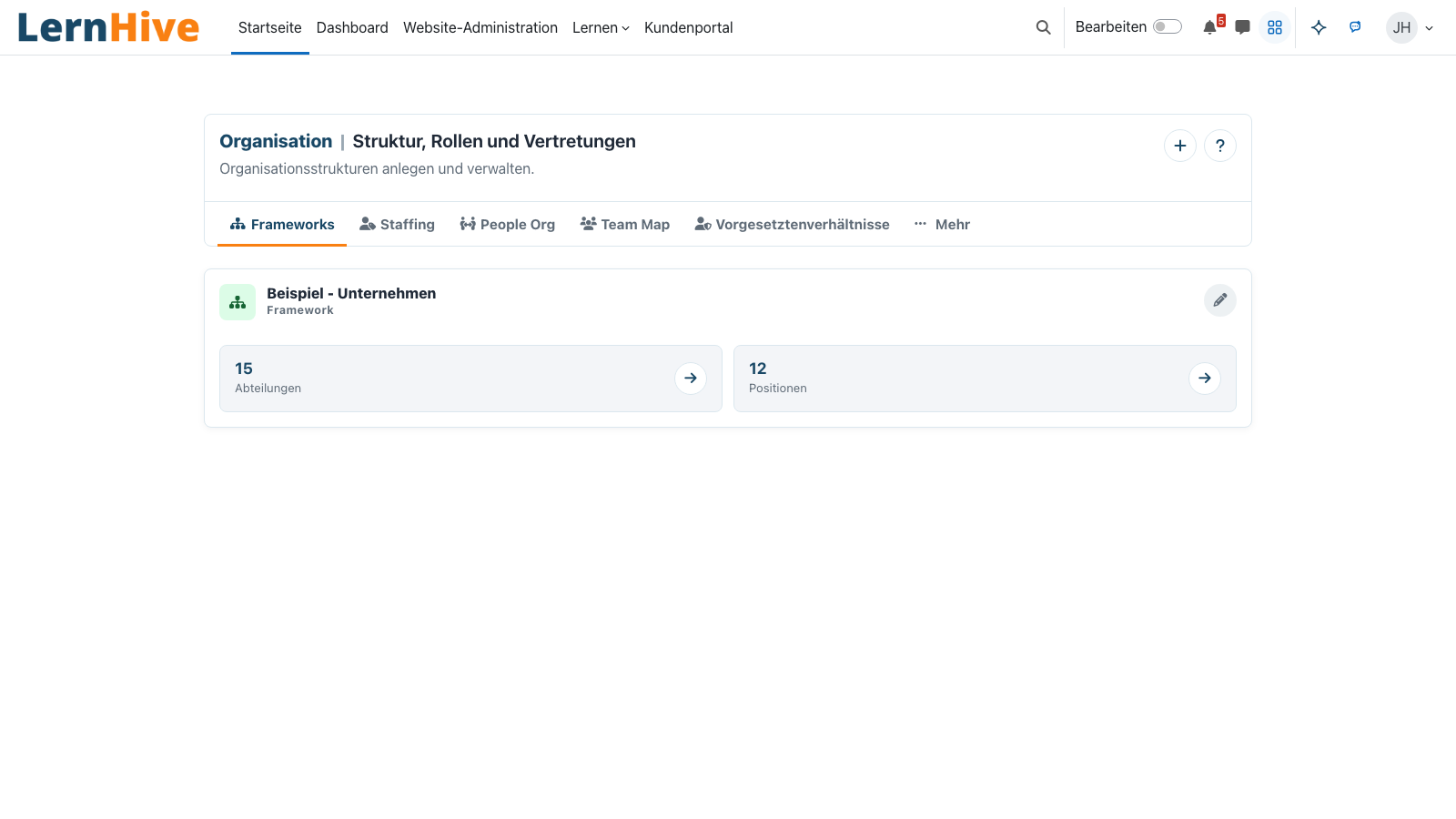
Orgchart models the organisational hierarchy: frameworks as outer shells, departments, positions and concrete jobs. For each user it writes derived profile fields — which other building blocks (especially Audience) consume without inventing new rule types.
Core features
What Orgchart offers.
Four-tier model
Framework → Department → Position → Job. Each tier is independently editable, hierarchy holds together.
Recursive delegation
Managers at department level automatically see sub-departments, without duplicate entries.
Profile-field writer
Writes department paths, position paths and reporting references into Moodle profile fields through events.
Manager approvals
Learners request course access, managers decide in the dashboard; enrolment follows automatically after approval.
Manual reporting lines
Structure-derived managers remain the default; manual relationships transparently cover special cases.
Bulk maintenance
CSV import, Staffing-Level preset and sample organigrams speed up setup.
How it works
How Orgchart fits in.
-
Build the structure
Create frameworks and departments in the admin — via drag & drop or CSV import.
-
Assign users
Users receive jobs with department, position, validity and primary marker — one by one or by CSV.
-
Profile-field projection
Changes to jobs or hierarchies update the derived fields — e.g. 'department incl. sub-groups'.
-
Audience reads
Audience rules consume these fields — no new rule logic required.
Define once, reuse many
Once the organisation has its trees, they feed into audiences, reports, enrolment and approvals.
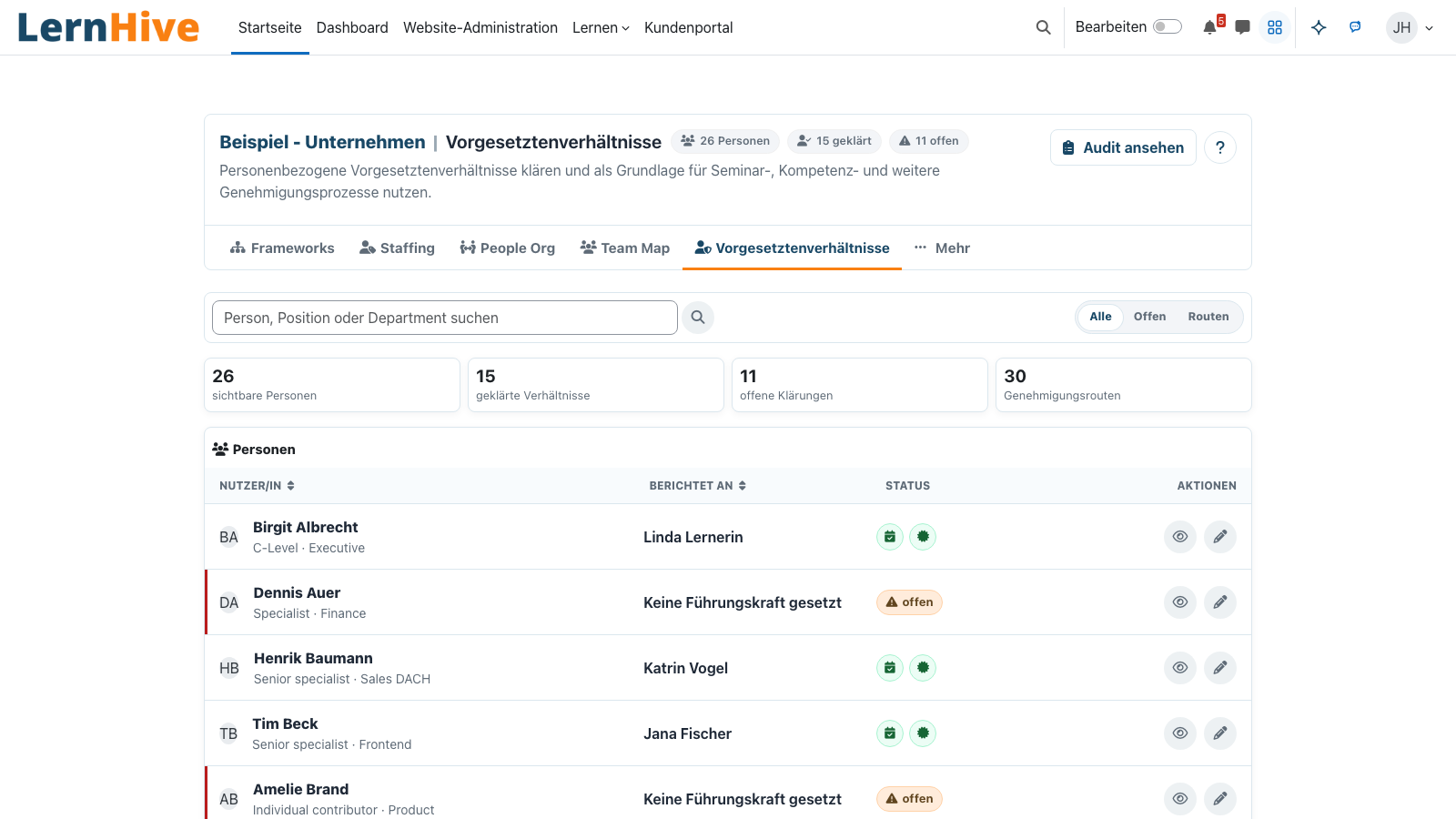
Manager flow without friction
Approval requests appear in the manager view — review, comment and approve without side-channel threads.
Technical details
At a glance.
FAQ
Common questions.
Do we have to redraw our structure?
No. CSV import covers most HR systems. Drag & drop in the editor handles manual changes.
How often does the profile-field projection run?
Default: nightly. For bigger org changes an ad-hoc task can be triggered.
Are stand-ins time-limited?
Yes. Each delegation has a start and end date — afterwards the role automatically reverts.
Often combined with
LernHive Audience
Static + dynamic audiences, AND/OR rule tree, live preview, projected to Moodle cohorts.
View detailsLernHive Reporting
Reporting entry point: dashboard, course drilldowns, seminar operations, feedback analysis and Moodle Custom reports.
View detailsLernHive Learning Pathways
Curriculum sequencing: steps, prerequisites, due dates, visibility windows, self-allocation, completion rules.
View detailsSee Orgchart live.
Walk through the demo org chart — including manager flow and CSV import.