Building block · local_lernhive_reporting
Numbers that make sense.
Dashboard, course reports, seminar operations, feedback analysis and Moodle Custom reports — one entry point for sound decisions.
Overview
Reports for humans, not just analysts.
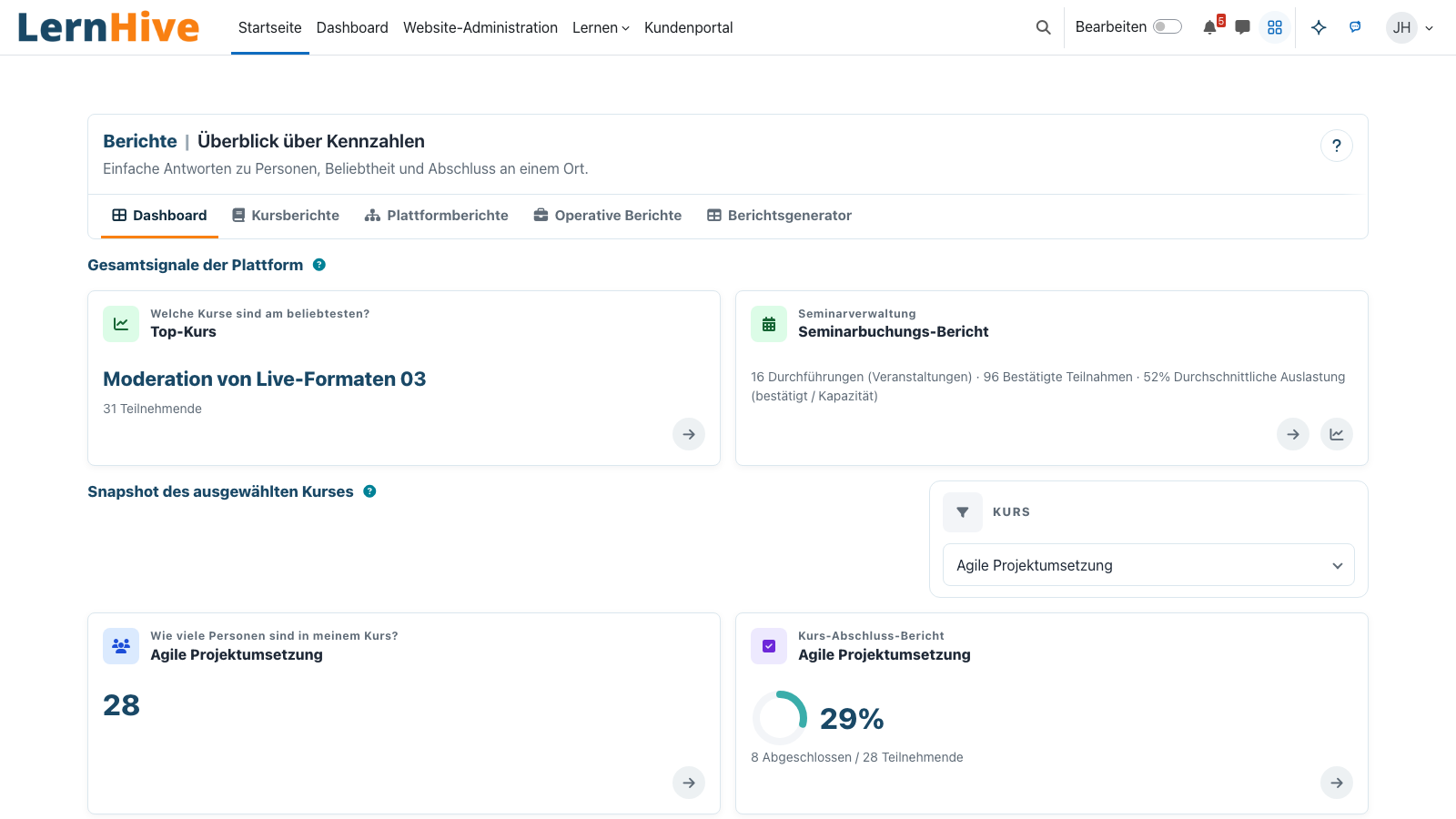
The Reporting building block answers common operational questions directly: who is in a course, which courses are popular, what is complete, how seminar operations are developing and what feedback says. For reusable, shared, scheduled or charted reports, LernHive deliberately hands off to Moodle Custom reports.
Core features
What the building block offers.
Report areas
Dashboard, course reports, cross-course reports, operative reports and report generator — grouped by question type.
Drilldowns
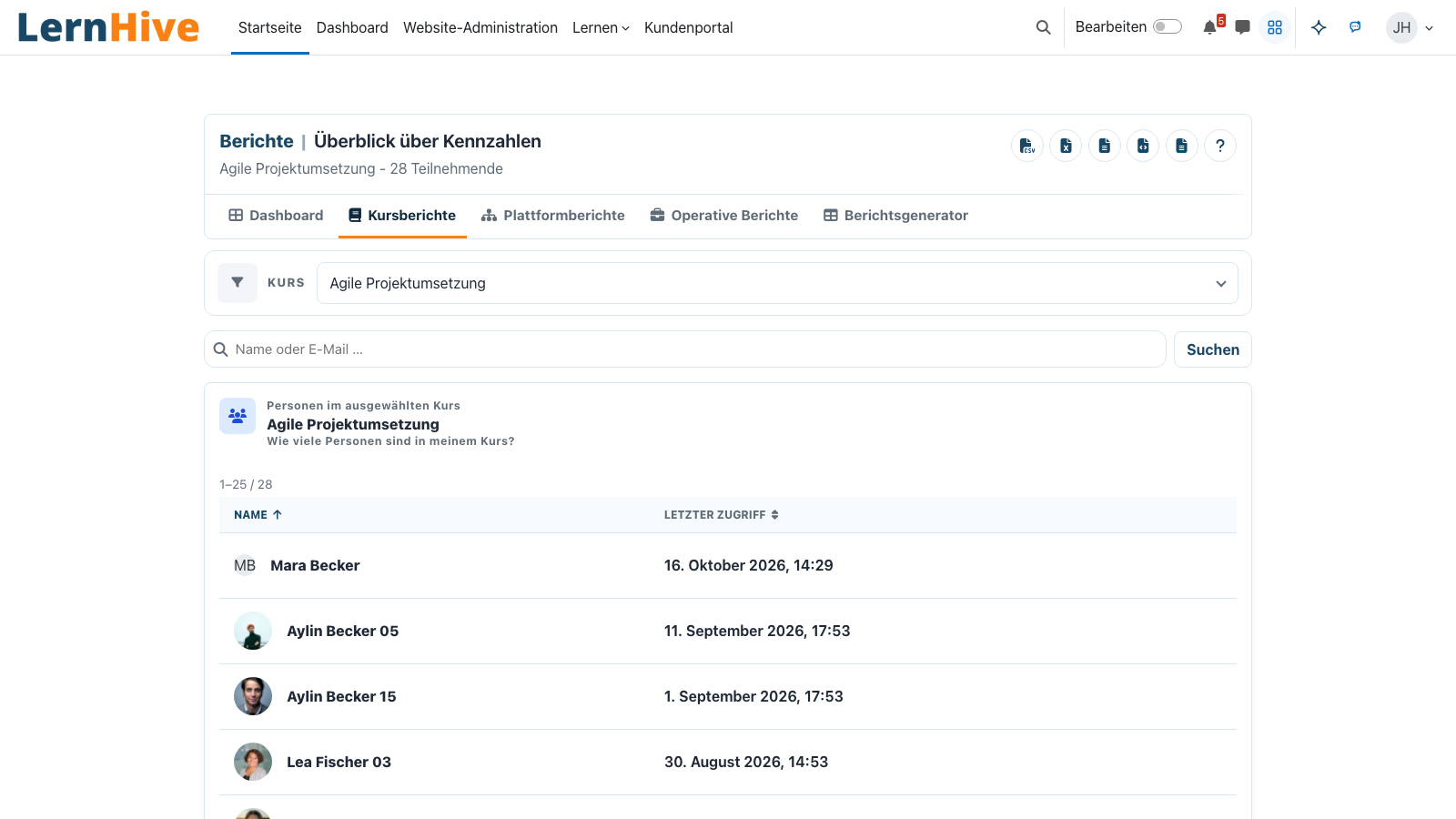
Tiles open full report pages with search, sorting, filter chips and export of the current result set.
Seminar operations
Bookings, waitlist, cancellations, occupancy, no-shows and trainer assignments — including private filter views.
Export formats
CSV, XLSX, ODS, JSON and HTML for drilldowns; PDF additionally in the seminar bookings report.
Moodle Custom reports
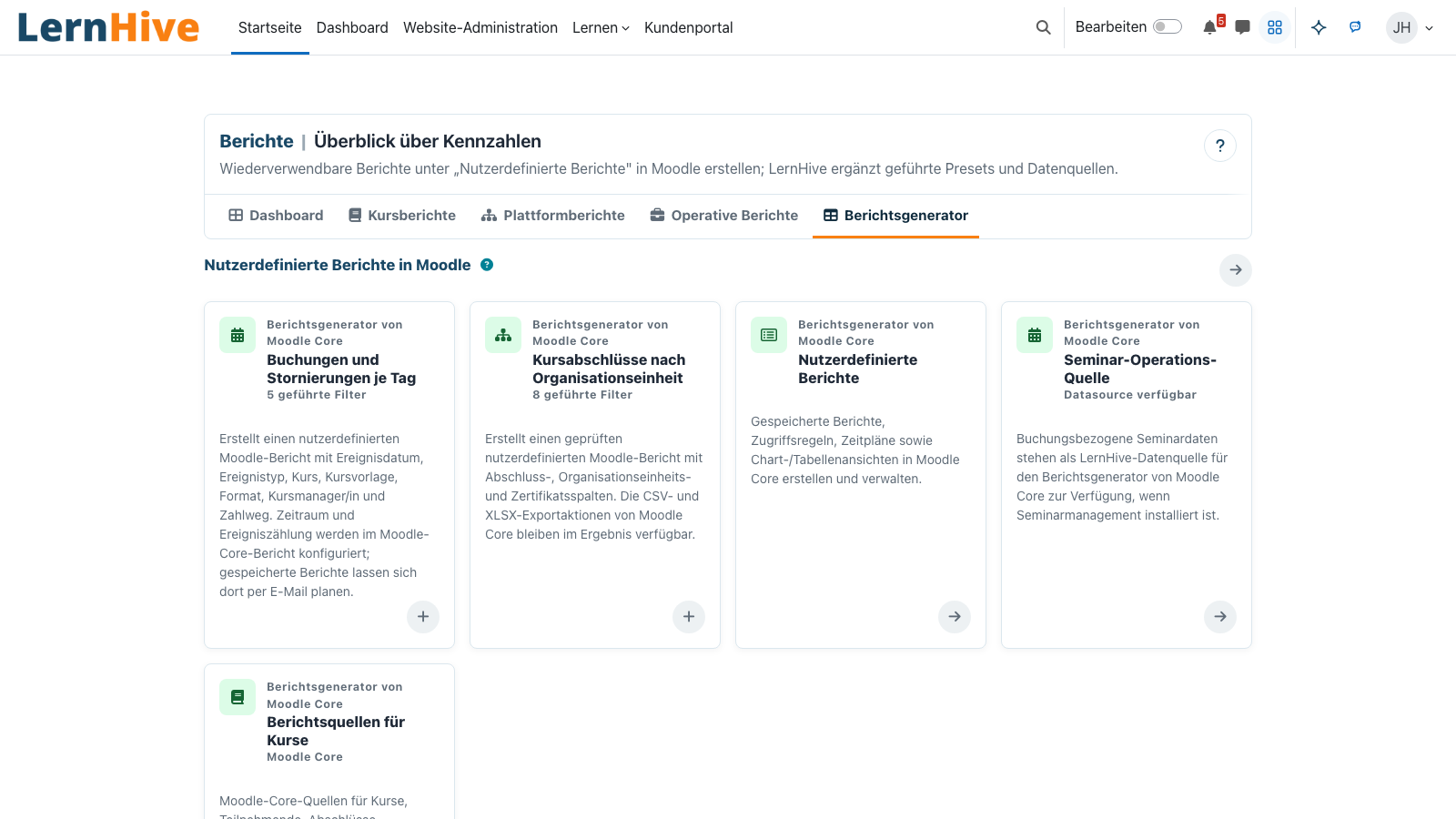
LernHive contributes report sources and preset cards; saving, sharing, scheduling and charts remain in Moodle core.
Feedback analysis
Responses can be analysed by course and seminar context; anonymous answers remain unattributable.
How it works
From signal to decision.
-
Pick a report area
Open dashboard, course reports, cross-course reports, operative reports or the report generator.
-
Narrow the context
Apply course, search, status, trainer or date range; active filters stay visible.
-
Inspect the drilldown
Sort and search the detail table, then export exactly the current result set.
-
Move into Custom reports when needed
Reusable, shared, scheduled or charted reports are created in Moodle's Custom Reports Builder.
One calm entry point
Platform administration starts with the common questions and moves into the open report builder only when needed.
Frictionless drill-down
Open a tile, inspect the list, export the result — for standard questions the path stays short and explainable.
Technical details
At a glance.
FAQ
Common questions.
Does the building block replace Moodle Custom reports?
No. LernHive provides the fast entry point, dedicated report sources and preset cards. Saved, shared, scheduled or charted reports deliberately stay in Moodle Custom reports.
Which reports are actual UI today?
Dashboard, users in course, popular courses, course completion, seminar bookings and feedback analysis are concrete LernHive surfaces. Further reusable analysis lives in Moodle Report Builder.
Can saved views be shared?
Local saved views are private shortcuts for the seminar bookings report. Sharing, scheduling and audience targeting are handled by Moodle Custom reports.
Often combined with
LernHive Audience
Static + dynamic audiences, AND/OR rule tree, live preview, projected to Moodle cohorts.
View detailsLernHive OrgChart
Organisation model: framework / department / position / job, recursive delegation, manager approvals.
View detailsLernHive Learning Pathways
Curriculum sequencing: steps, prerequisites, due dates, visibility windows, self-allocation, completion rules.
View detailsView a reporting demo.
In a partner call we walk through dashboard, drilldowns, seminar operations, feedback analysis and the handoff into Moodle Custom reports.