Building block · local_lernhive_certify
Validity-aware certificates and learning records.
Certify issues PDF certificates with verification codes, collects evidence in the learning record and supports course, Pathway, seminar, manual and external sources.
Overview
Certification with expiry, evidence and history.
Certify documents who holds which certification, when it was issued, when it expires and which evidence supports it. PDF certificates are stored, made verifiable and kept export/delete-ready through the Privacy API.
Core features
What Certify offers.
PDF certificates
Moodle-core PDFs with holder, certification, target, issue date, validity and public verification code.
Certificate collection
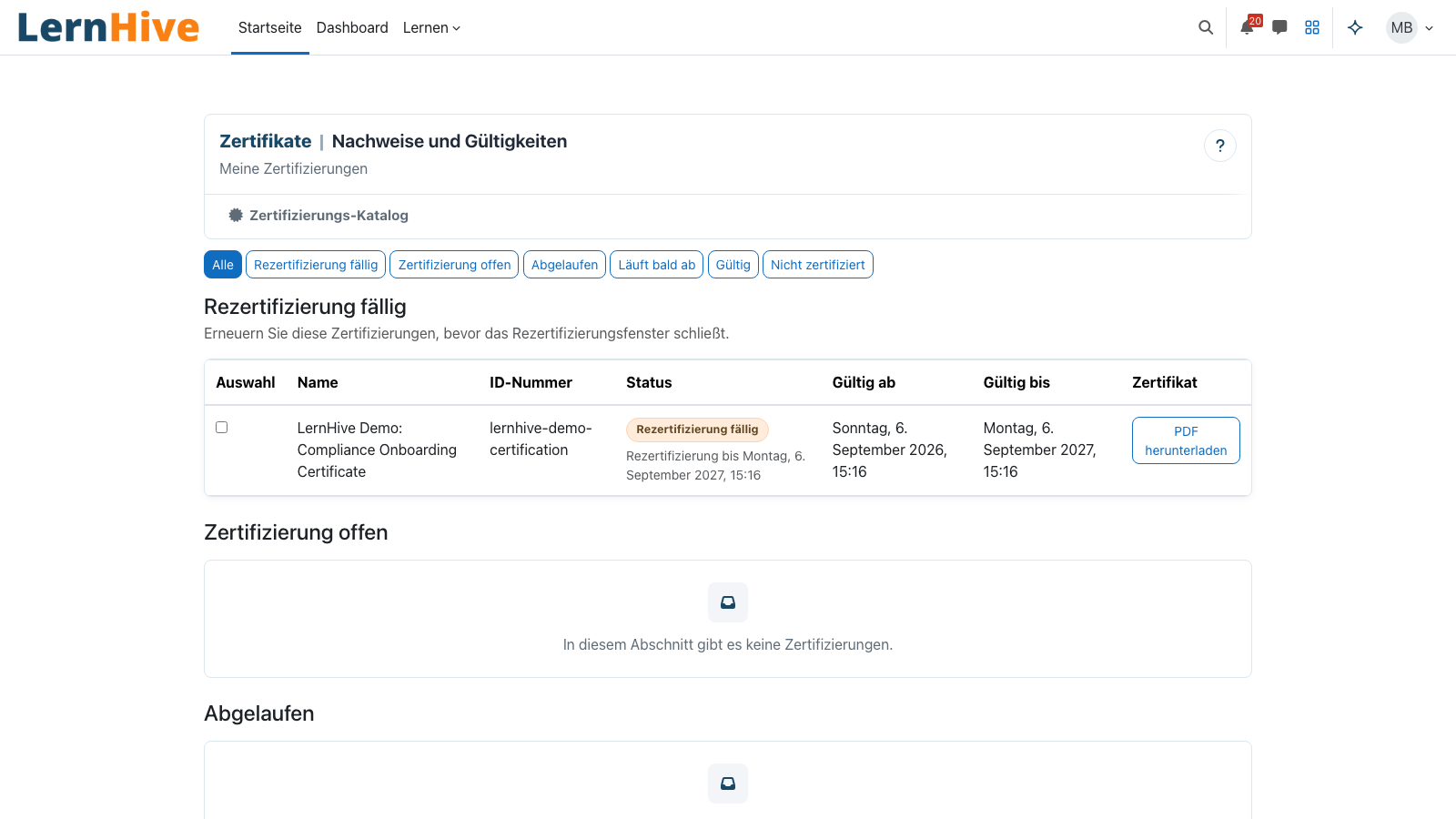
Learners see current, expiring and expired certifications with single download and ZIP bulk download.
Public verification
A unique code confirms valid, expired, revoked or unknown status with minimal disclosure of personal data.
Learning record
A calm view of current courses, completed courses, badges, certifications and external evidence — including PDF export.
Team view
Managers see certifications within their reporting scope and download each person's certificates as a ZIP.
Privacy-compliant export & deletion
Certificates are part of the Privacy API pipeline. Subject access, export and deletion are handled correctly.
How it works
How Certify fits in.
-
Define the template
Set name, ID number, target type, validity, renewal window and reminder lead time.
-
Choose the source
Use course completion, Pathway completion, seminar attendance, cohort assignment, approval request or manual issuance.
-
Evidence creates a period
When the matching event arrives, an immutable validity period is created and the PDF certificate is generated.
-
Visible in certificates and record
Learners see certificates with status and download; managers see scoped team certificates and exportable learning records.
Clean model: learning decides, Certify documents
Certify does not replace Moodle learning logic. Course completion, Pathway completion or seminar proof provides the signal; Certify documents validity, evidence and certificate.
Technical details
At a glance.
FAQ
Common questions.
Can certificates be issued without a pathway?
Yes. Certify also supports Moodle course completion, manual issuance and external evidence. Pathways enrich the flow but are not a hard product fork.
Is public certificate verification available?
Yes. Each issued PDF receives a unique verification code. Public verification shows only the necessary status and minimal holder information.
Can we import existing certificate templates?
Historical certification periods can be imported by CSV. Designer templates and mod_certificate migration remain a separate project slice.
Often combined with
LernHive Learning Pathways
Curriculum sequencing: steps, prerequisites, due dates, visibility windows, self-allocation, completion rules.
View detailsLernHive Reporting
Reporting entry point: dashboard, course drilldowns, seminar operations, feedback analysis and Moodle Custom reports.
View detailsLernHive OrgChart
Organisation model: framework / department / position / job, recursive delegation, manager approvals.
View detailsSee Certify live.
Issue a demo certificate — including verification code, download and learning record.