Building block · local_lernhive_onboarding
Tours that grow with the level.
Product tours and welcome flows tied to feature levels — without being patronising.
Overview
First steps, not endless wizards.
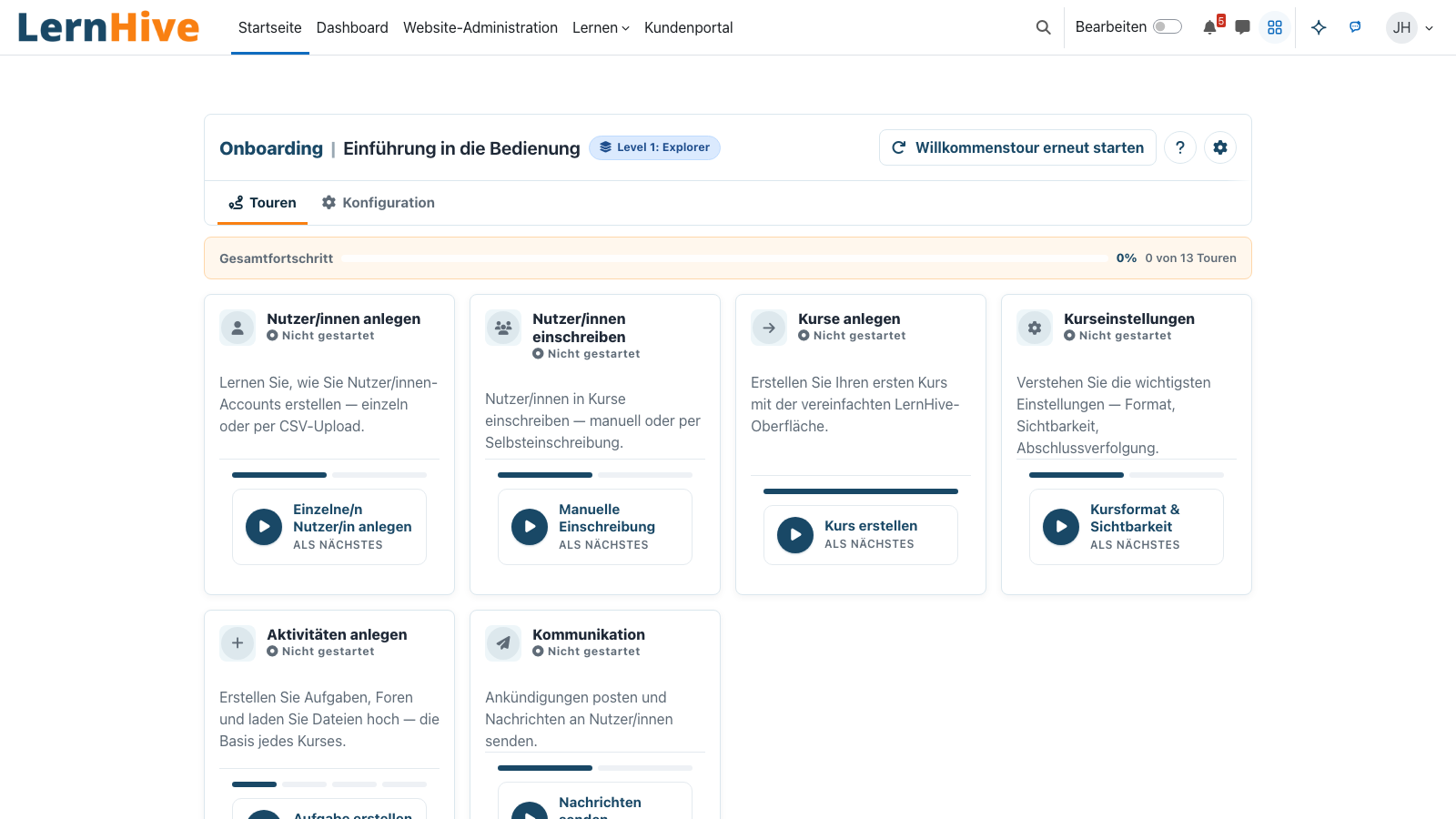
The onboarding building block ships short tours per role and per feature level. New trainers learn to create a course — admins see where the flavour settings live. Every tour is skippable, every one is persisted.
Core features
What this building block brings.
Tour engine
Step-by-step guidance with highlighting, tooltips and next/back — no external libraries.
Level-linked
Tours activate when a feature level is reached — not when something is just installed.
Role-specific
Dedicated flows for admins, trainers, learners — each sees only what's relevant.
Skippable & repeatable
Skip a tour in one click — restart it later from the “Your Onboarding” tour catalogue.
Welcome message
First login shows a short intro — then it's straight to the content.
No popup storm
One tour at a time, max three steps without a pause. No cognitive overload.
How it works
How onboarding runs.
-
First login
Welcome dialog shows a short role-specific summary of what's reachable.
-
Tour trigger
When a feature level activates, the right role gets offered a matching tour.
-
Highlight + step
The tour highlights elements on the page and explains them in 1–2 sentences.
-
Remember progress
Per-user storage records which tours were completed, read or skipped.
No generic wizards
No welcome tour for features that aren't even on. Only what's actually visible.
Trainer perspective
New trainers are guided through course creation — including a pointer to the Context Helper.
Technical details
At a glance.
FAQ
Common questions.
Can I disable tours entirely?
Yes — platform-wide via admin setting or individually via user preference.
How do I create custom tours?
Each building block provides its tours as a structured list of steps. Storing progress and triggers (e.g. first visit to a page, new level) is handled by the onboarding building block. The technical hook is in the developer guide.
Are tours accessible?
Yes. Each step is an accessible dialog: keyboard focus is trapped, ESC closes at any time, screen readers receive proper announcements — WCAG 2.1 AA compliant.
Often combined with
LernHive Context Helper
Context-sensitive next-best-action hints, role- and level-aware. (verification pending — see catalogue D-row)
View detailsLernHive Flavours
Starting profiles: School, LXP, later Higher Ed / Corporate / Association — adaptable, never hardcoded.
View detailsLernHive Launcher
App grid next to the user menu with the areas and actions each person may use.
View detailsTry onboarding.
Switch roles in the demo instance and walk through the matching tours.