Building block · local_lernhive
The platform foundation of the LernHive ecosystem.
Level system, feature registry and the shared UI classes behind every building block surface — the invisible backbone that carries every other LernHive building block, under every Flavour.
Overview
One foundation, three jobs.
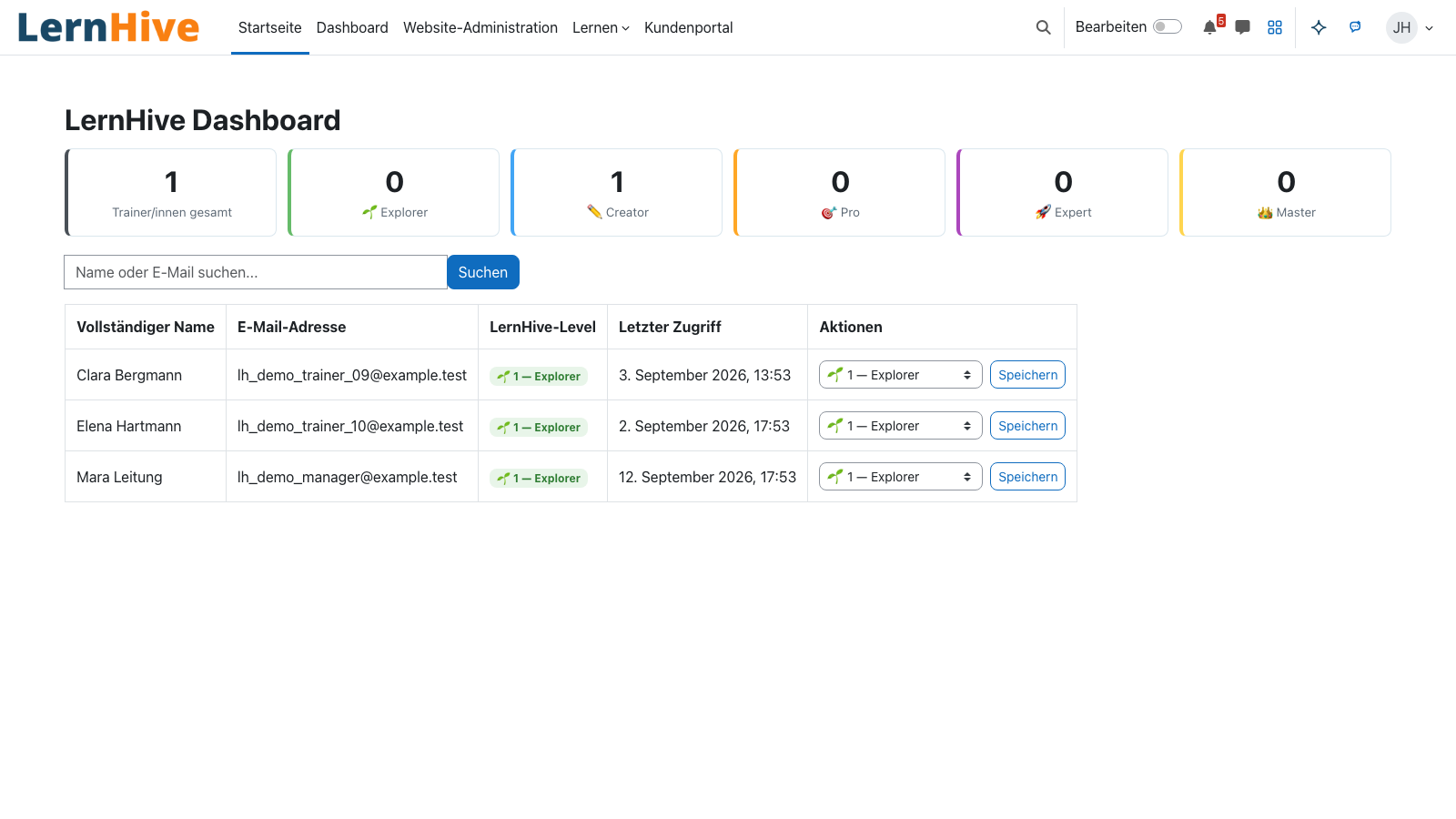
local_lernhive is the foundation building block behind LernHive. It does three visible things: it groups platform capabilities into five learning levels, makes the feature-to-level mapping configurable, and ships the shared UI classes for every building block surface so every LernHive screen renders cleanly under any compatible theme.
Core features
What the foundation actually delivers.
Five levels: Explorer to Master
The level system stages Moodle complexity from a soft entry (Explorer) to full admin depth (Master). Trainers and learners only see what fits their current level.
Feature Registry (ADR-01)
Single source of truth for feature-to-level mapping. Admin overrides, Flavour presets and clear reasons (“default / override / flavor-preset”) per entry — no hidden logic.
Building-block surface UI classes (ADR-P03)
Shared .lh-plugin-* classes and the common header partial live here. Every LernHive page renders structurally correctly — branded under theme_lernhive, neutral under any compatible theme.
Capability mapper
Translates levels into allowed modules and blocked capabilities. Tours and UI filters consume the same source — no duplicated logic across building blocks.
Shared helpers & hooks
Common service classes, hooks and UI filters. Universal dependency for every local_lernhive_* building block — the glue that makes orchestration cheap.
Admin UI “Level configuration”
New settings page under Site administration → LernHive → Level configuration: feature, default level, override, required capability, effective status — all at a glance, with human labels instead of tech IDs.
How it works
How the feature registry, levels and Flavours fit together.
-
Declarative feature list
Each feature (e.g.
mod_assign.create) is registered with a default level, required capability, category and lang-string key. No YAML, no JSON seed — a pure PHP registry, testable and migration-friendly. -
Per-site admin overrides
The
local_lernhive_feature_overridestable stores override entries. Empty table = pure defaults. Manual admin overrides beat Flavour presets. -
Flavour presets apply idempotently
When someone activates the School or LXP Flavour,
local_lernhive_flavourwrites matching presets into the override table diff-wise — manual admin entries stay untouched. -
Every consumer reads the same state
Tours, ContentHub, Context Helper and UI filters query the registry — not their own constants. That guarantees a consistent rights picture across every building block.
Visibility gate for user tours
Tours are feature-addressable in LernHive: each tour carries a lernhive_feature key and is only shown when the user holds the matching capability and their level allows it. No more invisible ghost steps.
Building-block surface: one page, every theme
The header partial, icon artefacts and layout classes live in local_lernhive. That makes LernHive render structurally correctly under every compatible theme — no stylesheet dance, no surprises.
Technical details
At a glance.
FAQ
Common questions.
Can I use LernHive without activating theme_lernhive?
Yes. Thanks to the shared UI classes that back every building block surface (ADR-P03) all LernHive pages render structurally correctly under any compatible theme — just without LernHive branding. The theme adds look & feel but is not required.
Will activating a Flavour overwrite my manual admin overrides?
No. Flavour presets are applied diff-wise — manual admin entries always beat presets. Switching between School and LXP Flavour won’t lose your individually set level configuration.
How do I find out why a feature is blocked for a user?
The “Level configuration” admin page shows the effective level per feature with the reason (default / override / flavor preset) and the required Moodle capability. If that’s not enough, the diagnostics panel gives a user-scoped answer: “Which feature is missing, why, what should the user do?”.
Are you patching or forking Moodle?
No. LernHive sits purely on official Moodle plugin APIs. No fork, no core patches, no hidden modifications — Moodle updates reach you the same way they reach us.
Often combined with
LernHive Flavours
Starting profiles: School, LXP, later Higher Ed / Corporate / Association — adaptable, never hardcoded.
View detailsLernHive Configuration
Configuration history: stores Flavour overrides with change history and a customer-visible config summary.
View detailsLernHive Launcher
App grid next to the user menu with the areas and actions each person may use.
View detailsReady to build on a clean foundation?
In 30 minutes we’ll show you how the level system, feature registry and Flavours fit your organisation — and what R1 already covers today.